
What would change your decision?
Baserow describes a spreadsheet-style no-code database; NocoDB describes a collaborative no-code database platform. Test your own workflow rather than choosing by repository stars.
- Can you represent your existing relationships and required fields?
- Are the permissions you need available in the chosen edition?
- Can the team export, back up and recover its information?
Use the same sample in both tools
Prepare one small fixture with linked records, an attachment and a formula. Record how each edition handles it. Do not compare a paid cloud demonstration with a different self-hosted edition without making that distinction explicit.
Evaluate the operational work
Read the current installation and administration documentation. Identify configuration, secrets, storage, updates and recovery dependencies. We have not yet measured resource usage or restoration reliability for either product.
Record a conditional recommendation
Choose the tool that passes your essential workflow and recovery checks with maintenance you can support. If a requirement is unresolved, keep it marked unknown instead of turning it into a confident recommendation.
The licence distinction changes the evaluation
Baserow’s repository distinguishes its MIT Expat Open Source Edition from premium and enterprise terms. Current NocoDB self-hosting documentation identifies the Fair Code Sustainable Use License. Do not choose between them using a table that labels both products MIT or assumes every edition is interchangeable. Check the licence of the intended release and use.
Choose a baseline that both candidates can attempt
A useful comparison begins with one hypothetical customer-and-order workflow: two related tables, a calculated amount, an attachment, an intake form and a reviewer who must not change data. Keep the same source snapshot and intended behavior in both evaluations. Different cloud demos or different paid tiers should be labelled rather than blended into a single result.
Use a conditional selection rule
Keep a candidate only if it satisfies the required data operations, available permissions and recovery process in the intended edition. Prefer neither when an essential requirement is unsupported or when nobody can operate the chosen installation. Repository stars, an attractive grid and low initial infrastructure cost do not answer those questions.
- Compare the licence and edition you would actually deploy.
- Check the data source and write operations your workflow needs.
- Record pass, fail or unresolved for every required behavior.
- Treat an unresolved security or recovery requirement as a reason to continue evaluation, not as a tie-breaking score.
Inspect the interface, with its context.
Open a specimen to see the source image and the observations it supports. A vendor demonstration is distinct from a self-hosted installation.
BaserowOfficial live template · Demo version not disclosed
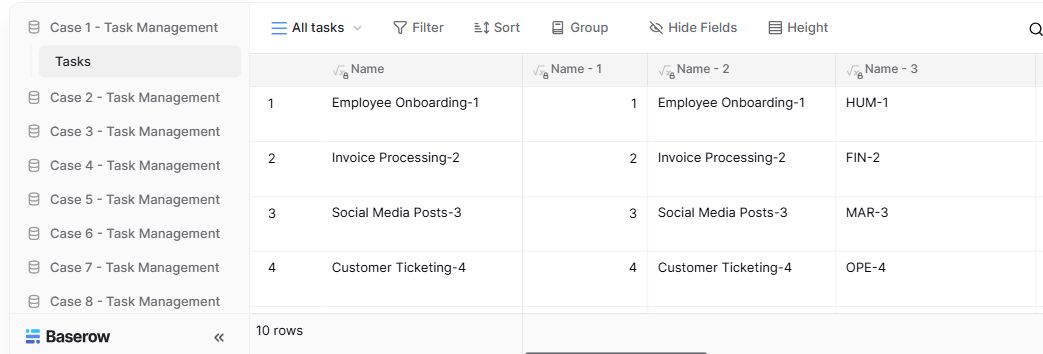
- Table navigationThe sidebar separates the demo’s task-management examples.
- View controlsFilter, sort, group and hide-field controls are visible in this preview.
- Calculated fieldsFormula columns display generated task names and identifiers.
NocoDBHistorical vendor product image · Image identifies v2.3; not the current release
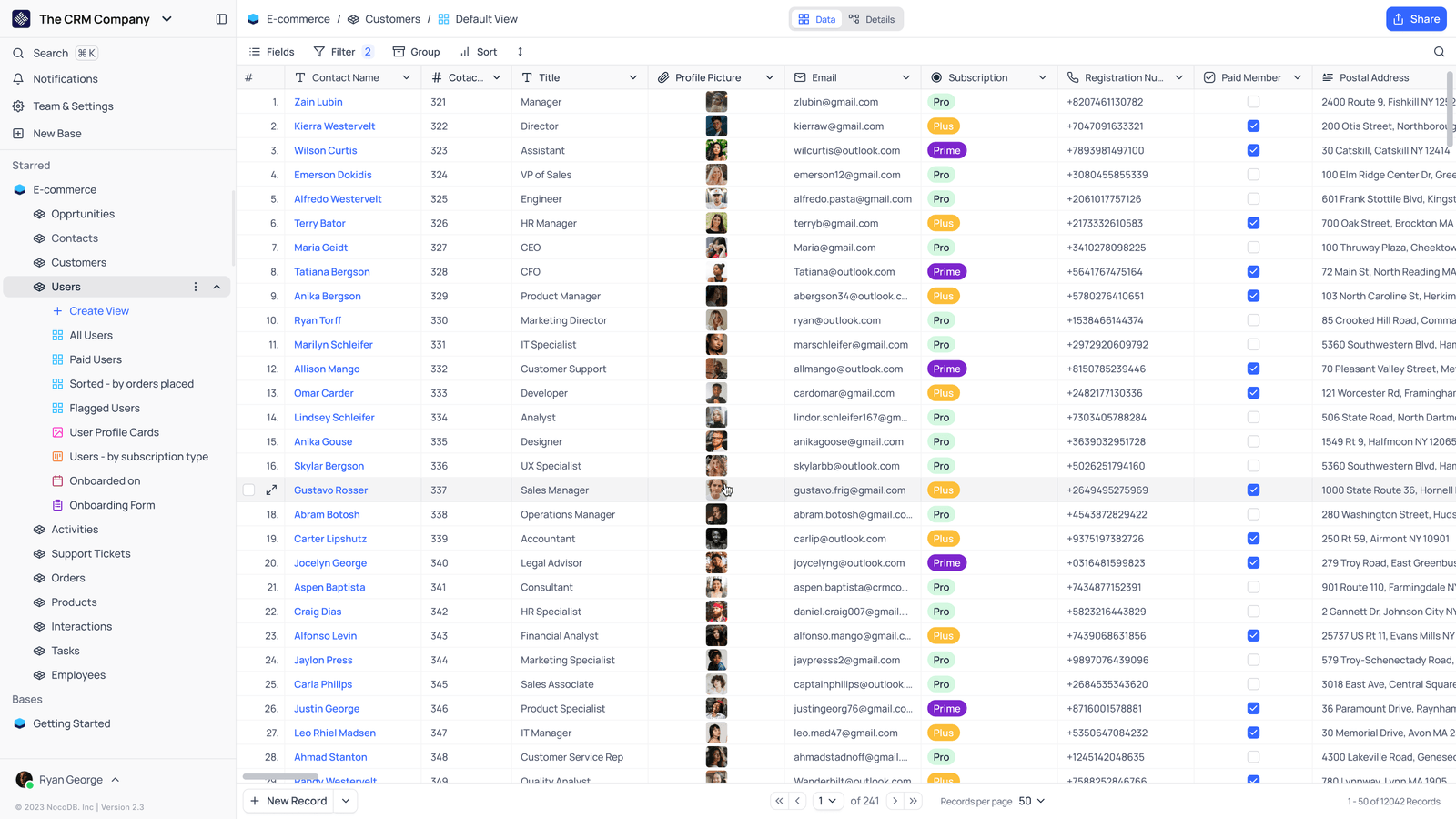
- Saved viewsThe vendor image shows several named views in the left navigation.
- Grid controlsFields, filtering, grouping and sorting appear above the record grid.
- Typed columnsThe example includes text, email and labelled select values. Check the current edition for availability.
Follow the documentation.
Consult the current official instructions before making changes. No independent deployment benchmark is claimed here.
baserow.ioOfficial documentation ↗nocodb.comOfficial documentation ↗github.comOfficial documentation ↗nocodb.comOfficial documentation ↗