
Select and evaluate an integration credential without overstating plan-dependent scope controls.
Read the Current Token Model
The API-token page recommends fine-grained tokens for new integrations. It states that granular project/scope and expiry controls are available on Cloud and licensed self-hosted Business plans and above; Community and unlicensed deployments default to all-resources access with no expiry. Do not promise those controls on every self-hosted installation.
The authentication guide accepts xc-token or an Authorization Bearer header. Both token authorization and the owning user’s role must permit a request. Keep the token, user identity, edition and integration purpose together in the credential inventory.
Documentation: NocoDB API token management · NocoDB API authentication
Describe the Job Before Creating the Credential
Hypothetical example: a nightly report needs to read project status but should not delete tasks or modify the schema. List those operations before setting up the integration. If the deployment cannot enforce the required boundary, that is an unresolved design requirement, not a setting to assume exists.
Avoid putting a full administrator credential into a browser-delivered application. Use an architecture that keeps the credential in the appropriate trusted service, and review whether its reach is acceptable. Do not paste real tokens into examples, screenshots, support messages or source control.
Check a Denied Operation as Well as a Successful One
A successful read proves that one operation works. It does not prove that a write is refused. In a disposable evaluation project, check the intended operation and the operation that must remain unavailable. Record the result without disclosing the secret.
Treat authentication failures and authorization refusals differently. First confirm which credential is in use and that it belongs to the expected account; then compare its actual role and supported scope controls. Do not broaden access repeatedly just to make a test return a success status.
- Record the integration owner and expected operations.
- Check the current edition’s available scope controls.
- Store the secret outside the delivered client and repository.
- Run a positive request against synthetic data.
- Run the prohibited-operation check only in a disposable destination.
- Record rotation and revocation responsibilities.
Plan for Credential Changes
Current documentation says password changes delete the account’s API tokens. Include that dependency in integration handover and account-recovery planning. A token can disappear for a legitimate reason, so investigate the account event before rewriting application logic.
After rotation, verify the new credential before retiring the old one through the appropriate administrative process. Keep logs focused on request identifiers and outcomes, never the token value. A documented owner and a reproducible check make integration failures much easier to resolve.
Documentation: NocoDB API token management
Hypothetical reporting-credential review
This is an illustrative worksheet to adapt to your own evaluation. It is not a measured product test or a claim about results in your installation.
| Requirement | Check | Result to record |
|---|---|---|
| Read status | Positive request | Expected fields returned |
| Prevent schema edits | Disposable negative test | Refusal or unresolved boundary |
| Limit project reach | Inspect supported edition controls | Actual scope, not token name |
| Survive handover | Document rotation/account dependency | Owner and recovery procedure |
Verify the token’s actual permissions and the edition’s limits. Keep successful access and denied-operation evidence in the integration record.
Inspect the official interface evidence
These previously captured interfaces provide orientation. Their versions and dates are distinct from the documentation review above.
Inspect the interface, with its context.
Open a specimen to see the source image and the observations it supports. A vendor demonstration is distinct from a self-hosted installation.
NocoDBHistorical vendor product image · Image identifies v2.3; not the current release
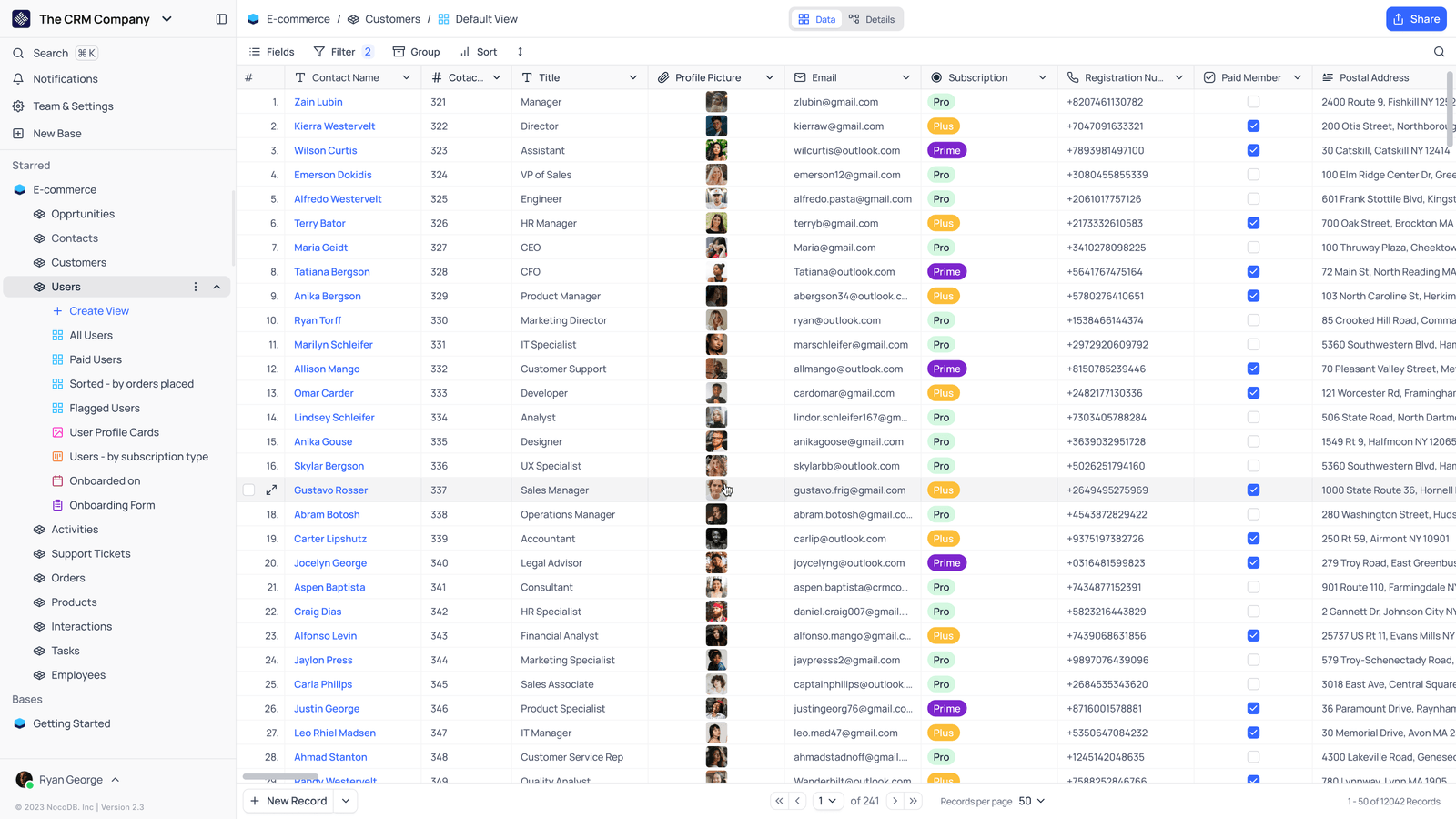
- Saved viewsThe vendor image shows several named views in the left navigation.
- Grid controlsFields, filtering, grouping and sorting appear above the record grid.
- Typed columnsThe example includes text, email and labelled select values. Check the current edition for availability.
Check the facts and their boundaries.
Official documentation supports the product statements. The evaluation procedures and synthetic examples are editorial guidance. We have not independently run the installation, migration or recovery procedures described here.
Current fine-grained/legacy behavior, including Community limitations; updated October 28, 2026. Reviewed 2026-11-01.
Current supported token headers and role intersection. Reviewed 2026-11-01.