
Start with the reason you are switching
Write down the constraint that Airtable no longer meets. It may be data location, a required workflow, integration control, or operating costs. A self-hosted tool moves maintenance responsibilities onto your team.
- List the fields, linked records, formulas and attachments your workflow depends on.
- Identify the people who will own updates, monitoring and recovery.
- Keep the hosted option in the comparison if nobody can maintain the replacement.
Build a shortlist before moving data
Baserow, NocoDB and Grist are candidates to investigate. Their official documentation describes different ways of working with structured data. This guide does not claim feature parity, complete migration support or a universal winner.
Compare the edition, not just the product name
Cloud and self-hosted editions can differ. Verify the current licence, permissions, deployment dependencies and availability of required features in the exact edition you plan to run. A public source repository alone does not settle those questions.
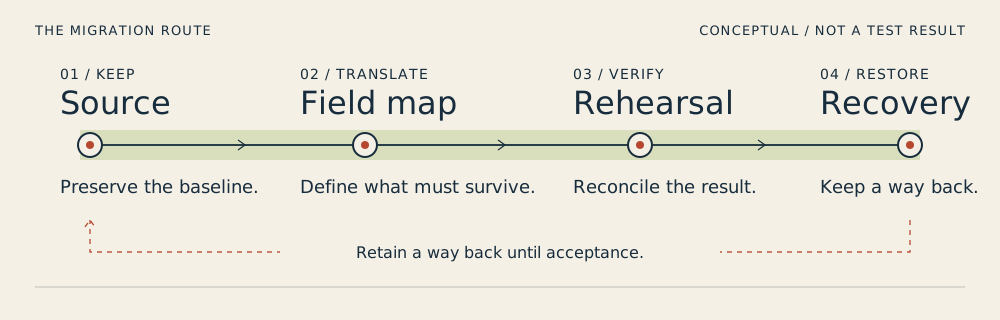
Use a small migration rehearsal
Import a non-sensitive sample and check the results against the original. Count records, open attachments, inspect linked records and recompute important formulas. Keep a list of changes that need manual rebuilding.
Make recovery part of the decision
An export file is useful, but it does not prove that the complete application can be recovered. Ask what must be backed up and how you will verify restoration before relying on the new system.
Match a replacement to a specific job
Use Baserow as a candidate for a shared table-based workspace, NocoDB as a candidate for a spreadsheet-style platform and Grist as a candidate for a relational spreadsheet workflow. These are starting points for evaluation, not an assertion that one is the closest replacement for every Airtable base. The product profiles explain which documented facts support each description.
Turn a shortlist into a field contract
For a hypothetical sales base, preserve a customer code, the relationship between customers and orders, a calculated order total and the associated contract files. Write how each will be represented in the destination. A grid containing the same labels is insufficient if the total has become static or the file links no longer work.
- Preserve a stable source identifier even if the destination assigns new IDs.
- Record a destination type and conversion rule for each essential field.
- Keep formula results for comparison, then check whether the new calculation updates.
- Test a normal user and a denied-access case before sharing the new workspace.
Use documented migration limits to narrow the choice
Baserow documents an Airtable importer and an import report for incomplete transfers. That makes the importer worth investigating for this workflow; it does not prove lossless migration. For the other candidates, verify the exact import method before committing. If reconstruction work is larger than your team can maintain, keeping the existing workflow is a legitimate outcome.
Inspect the interface, with its context.
Open a specimen to see the source image and the observations it supports. A vendor demonstration is distinct from a self-hosted installation.
BaserowOfficial live template · Demo version not disclosed
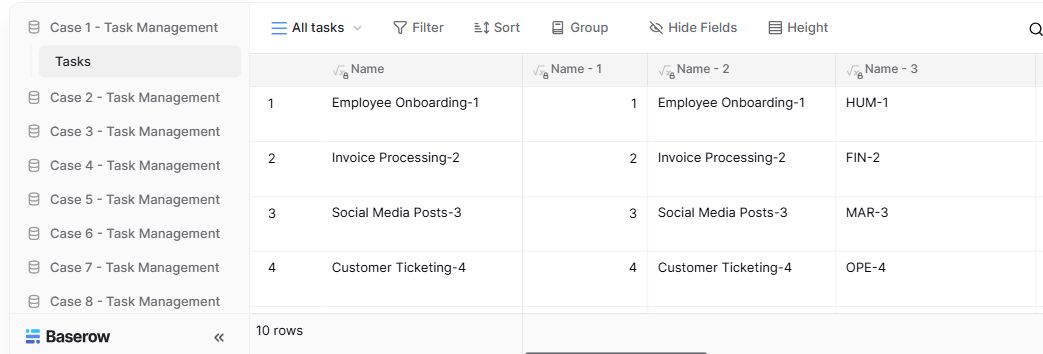
- Table navigationThe sidebar separates the demo’s task-management examples.
- View controlsFilter, sort, group and hide-field controls are visible in this preview.
- Calculated fieldsFormula columns display generated task names and identifiers.
NocoDBHistorical vendor product image · Image identifies v2.3; not the current release
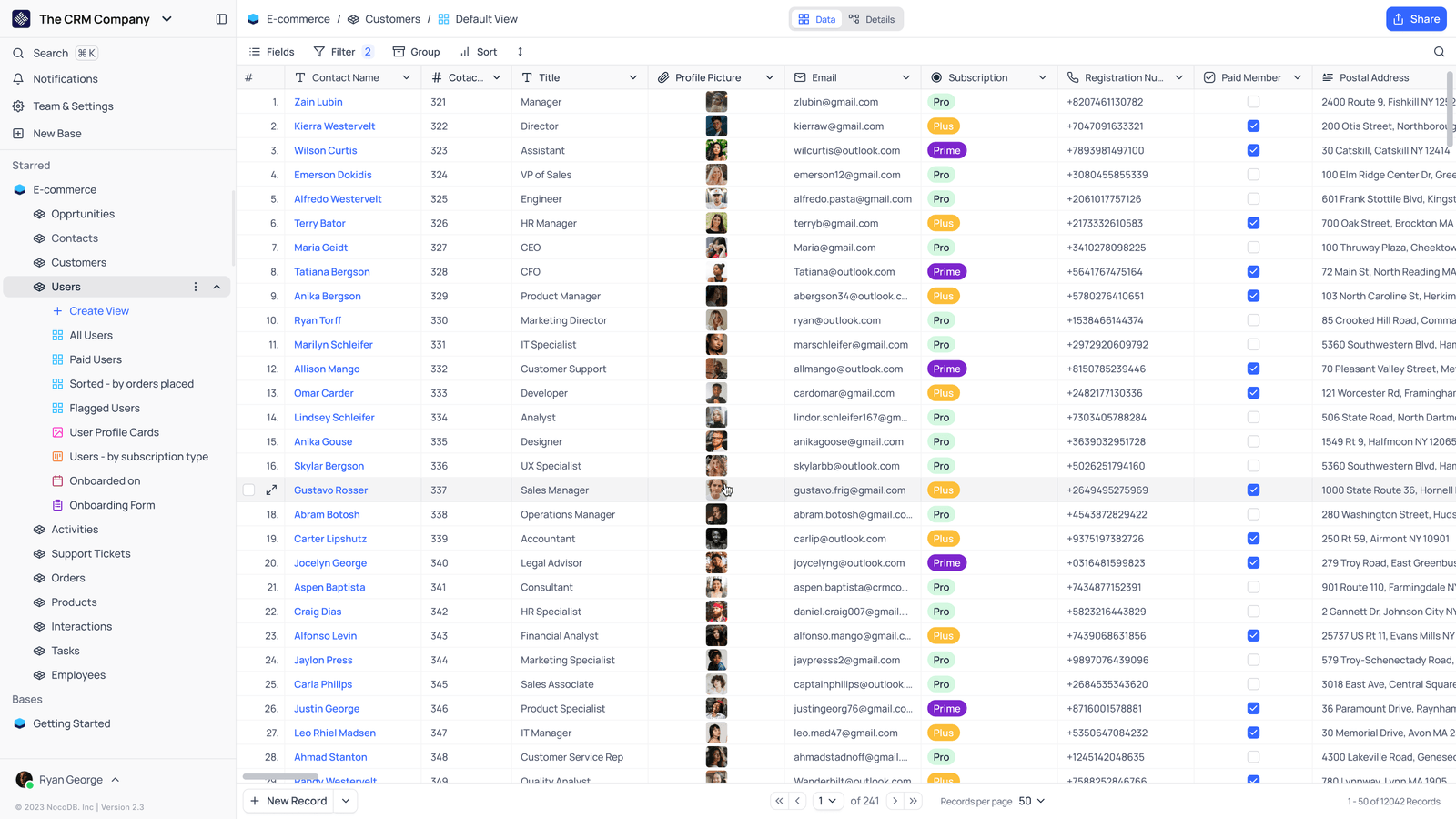
- Saved viewsThe vendor image shows several named views in the left navigation.
- Grid controlsFields, filtering, grouping and sorting appear above the record grid.
- Typed columnsThe example includes text, email and labelled select values. Check the current edition for availability.
GristOfficial public demo · Demo identifies v1.7.20
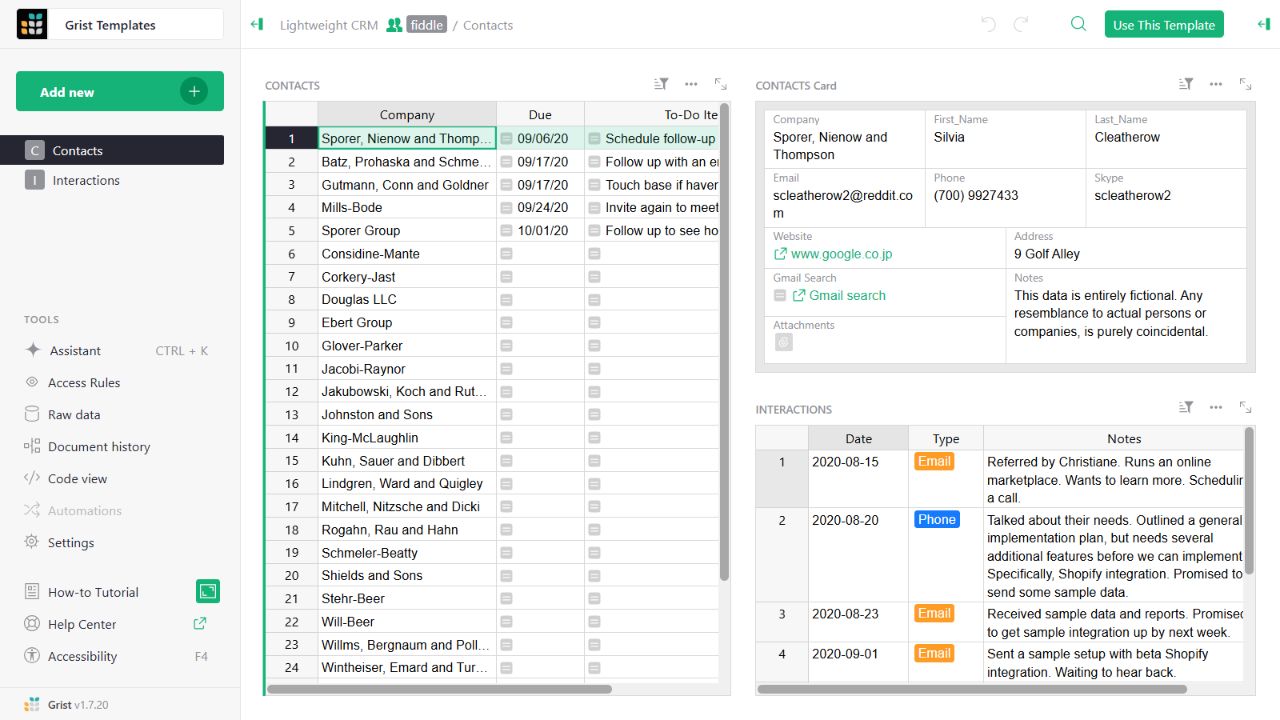
- Contact gridThe left widget lists sample companies and follow-up tasks.
- Detail cardThe upper-right widget presents fields for the selected contact.
- Related interactionsThe lower-right widget displays the sample interaction history.
Put the evidence side by side.
Repository releases and interface specimens have separate versions. These source checks were completed on 25 October 2026; they are not deployment benchmarks.
| Criterion | Baserow | NocoDB | Grist |
|---|---|---|---|
| Source release checked | 2.4.1Exact source snapshot ↗ | 2026.10.0Exact source snapshot ↗ | v1.7.21Exact source snapshot ↗ |
| Licence scope | MIT Expat for the Open Source Edition; premium and enterprise directories have separate terms.Licence file ↗ | Sustainable Use License. Review the terms for the intended edition and use.Licence file ↗ | Apache License 2.0 for the checked grist-core repository; other editions need separate checks.Licence file ↗ |
| Installation reference | Docker Compose installation guide ↗ | Official self-hosting paths and requirements ↗ | Official self-managed guide ↗ |
| Interface specimen | Official live template Demo version not disclosed | Historical vendor product image Image identifies v2.3; not the current release | Official public demo Demo identifies v1.7.20 |
| Migration evidence | Official Airtable import guide describes an import report for unsupported or partially imported items.Official reference ↗ | Migration compatibility has not been verified in this documentation pass.Official reference ↗ | Airtable migration compatibility has not been verified in this documentation pass.Official reference ↗ |
| Independent deployment test | Not performed. Resource use, speed and recovery have not been independently compared. | Not performed. Resource use, speed and recovery have not been independently compared. | Not performed. Resource use, speed and recovery have not been independently compared. |
Follow the documentation.
Consult the current official instructions before making changes. No independent deployment benchmark is claimed here.
baserow.ioOfficial documentation ↗nocodb.comOfficial documentation ↗support.getgrist.comOfficial documentation ↗baserow.ioOfficial documentation ↗