
Retrieve a complete, auditable result set using the documented endpoint/version contract.
Identify the Endpoint and API Version
The current pagination page says v3 record/link responses provide records with next and prev URLs; next becomes null at the end. The workspace base-list endpoint instead uses limit, offset and pageInfo. Its applied pageSize can be lower than the requested limit, and an offset beyond the total is an error.
Do not transplant an older API example’s loop into a different endpoint. Save the API version and a redacted first response with the integration notes. That evidence explains whether the loop should follow a URL, advance an offset or handle another documented model.
Documentation: Pagination in the NocoDB API
Make the Retrieval Loop Observable
Hypothetical record export: an evaluation response contains two records and a next URL. The next response contains one record and no next URL. The expected union contains three unique record IDs. These numbers illustrate the control flow; they are not a measured NocoDB page-size limit.
Keep the query, sort and selected fields consistent through the run. Verify the returned next URL against the expected instance before sending a credential to it. Log page number, row count and final status without secrets or sensitive field values.
- Save the first request’s endpoint, filters and version.
- Append only records from a successfully parsed page.
- Continue with the documented next-page mechanism.
- Stop at the documented end condition.
- Detect repeated page references so a faulty loop does not run indefinitely.
- Reconcile unique IDs and exceptions at the end.
Account for Data That Changes During Export
A multi-page traversal is not automatically a point-in-time snapshot. If staff add or remove records during the run, counts may move. Choose an appropriate read window or a documented consistency strategy for the workflow. State what the export does and does not preserve.
Compare the union of IDs rather than adding page counts alone. A retry can produce duplicate rows even when each page request succeeds. Treat missing records, repeated identifiers and a changed filter as separate exceptions so the operator knows whether to retry, deduplicate or review the extraction scope.
Stop or Retry According to the Failure
The API error guide distinguishes authentication, permission, validation and rate-limit failures. A retry does not fix the wrong credential or a refused feature. For throttling, inspect the response and documented retry guidance instead of rapidly restarting from the first page.
Record the last confirmed checkpoint and define whether a resumed run replaces or appends output. That small operational decision prevents a temporary network failure from becoming a silent double export. No production integration has been executed by this article.
Documentation: NocoDB API errors and rate limits
Hypothetical pagination reconciliation
This is an illustrative worksheet to adapt to your own evaluation. It is not a measured product test or a claim about results in your installation.
| Observation | What it establishes | What it does not establish |
|---|---|---|
| 200 response | One request succeeded | All records were returned |
| next is null | Documented traversal reached its end | Point-in-time consistency |
| Three unique IDs | Fixture union reconciles | Production dataset completeness |
| Retried page | Recovery was attempted | Safe append without duplicate checks |
Follow the documented contract for the exact endpoint. Accept the export only after its ID set, scope and exceptions reconcile.
Inspect the official interface evidence
These previously captured interfaces provide orientation. Their versions and dates are distinct from the documentation review above.
Inspect the interface, with its context.
Open a specimen to see the source image and the observations it supports. A vendor demonstration is distinct from a self-hosted installation.
NocoDBHistorical vendor product image · Image identifies v2.3; not the current release
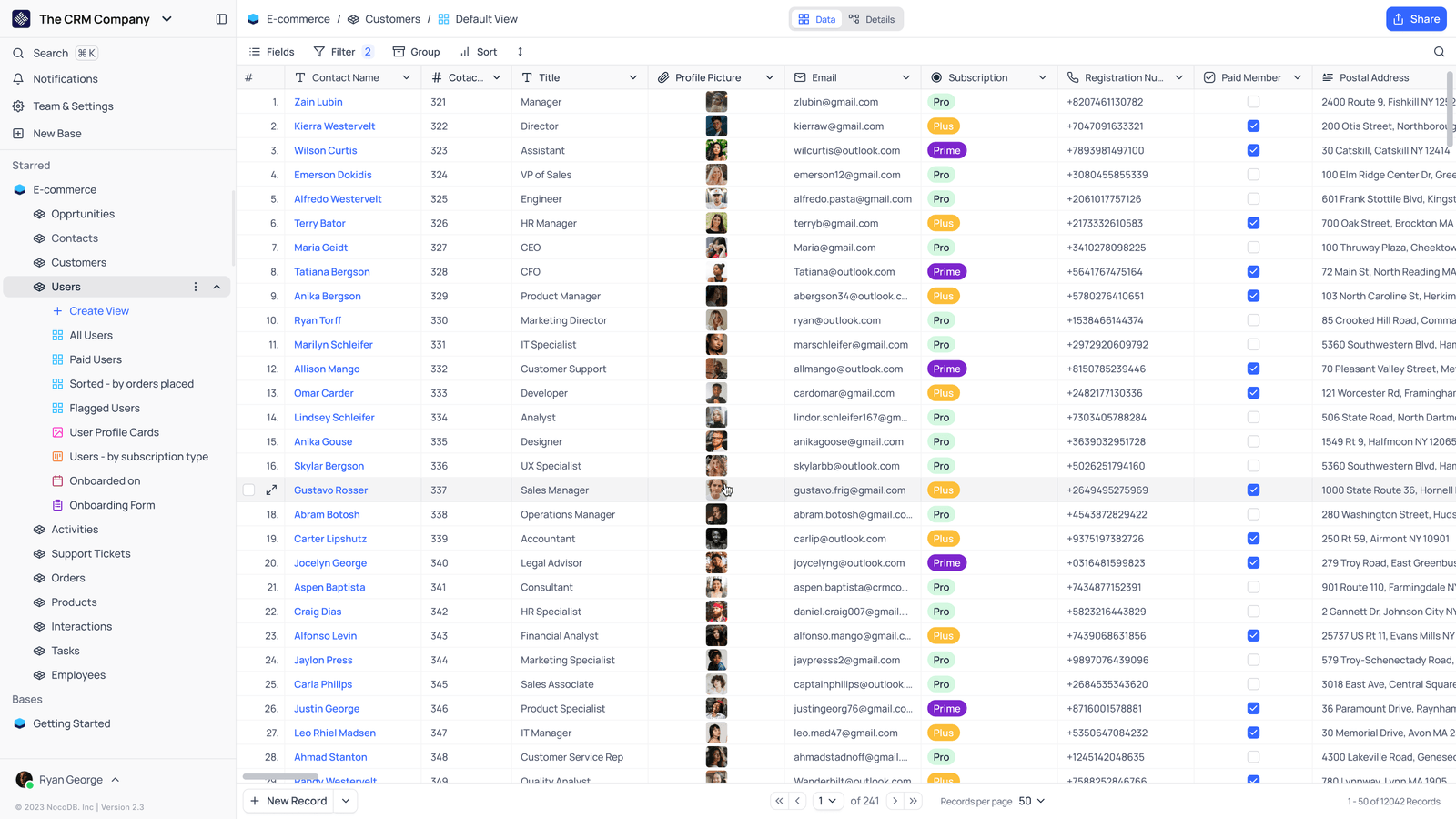
- Saved viewsThe vendor image shows several named views in the left navigation.
- Grid controlsFields, filtering, grouping and sorting appear above the record grid.
- Typed columnsThe example includes text, email and labelled select values. Check the current edition for availability.
Check the facts and their boundaries.
Official documentation supports the product statements. The evaluation procedures and synthetic examples are editorial guidance. We have not independently run the installation, migration or recovery procedures described here.
v3 record/link pagination differs from base-list pagination and earlier API versions. Reviewed 2026-11-01.
Current error/status guidance; configured limits can change. Reviewed 2026-11-01.