
Turn published server requirements into an accountable workload-specific capacity plan.
Read the Published Baseline in Context
The current self-hosting page lists a minimum of 2 vCPU, 2 GB RAM and 10 GB disk; its production recommendation is 4 vCPU, 8 GB RAM and 50 GB or more disk. These are vendor guidelines, not measurements from OwnStack Atlas. The page recommends a Linux server for production.
Record the check date beside those figures. Hardware guidance changes, and a number without its source or date is difficult to maintain. Do not label the minimum as a tested safe limit, or present recommended disk capacity as the amount your attachments can grow to indefinitely.
Documentation: NocoDB self-hosting paths and requirements
Describe the Work Before Buying Capacity
Hypothetical example: a parts team expects 12,000 inventory rows, 600 images and several people editing while a nightly integration reads the data. Those are planning inputs, not a benchmark. Include the size of a typical image and whether the integration runs while staff are working. A row count alone hides the load that may matter.
Create a representative sample containing long text, links, formulas and files. Include one unusually large record and the actual view or query pattern you depend on. Record the dataset size so a later reviewer can explain why a faster or slower result is not directly comparable.
Account for Shared Dependencies
The custom-infrastructure guide distinguishes bundled and external Postgres/Redis arrangements. Note which resources share the host and which have separate capacity or quotas. A managed database changes the responsibility boundary; it does not make the workload disappear.
Leave room for a backup operation, retained files, logs and growth. Keep the application’s working disk separate in your worksheet from off-host recovery storage. A capacity plan that fills the host with its first successful backup has missed an operational requirement.
Documentation: NocoDB custom infrastructure
Run a Rehearsal with a Pass Condition
Before the rehearsal, write the tasks the team must complete and what delay would interrupt work. Observe memory, CPU, storage growth and errors while those tasks run together. Do not invent a requests-per-second target from somebody else’s deployment.
- Record release, edition, host resources and database placement.
- Load the representative synthetic dataset.
- Run editing, file access and the integration together.
- Record outcomes and the largest observed delays.
- Repeat after a representative backup or upgrade rehearsal.
- Change one relevant resource at a time when diagnosing a constraint.
Hypothetical capacity record; empty measurements must be filled from an actual rehearsal
This is an illustrative worksheet to adapt to your own evaluation. It is not a measured product test or a claim about results in your installation.
| Input | Record before evaluation | Observation to capture |
|---|---|---|
| Dataset | Rows, relationships and attachment bytes | Growth and import result |
| People | Concurrent workflow description | Task completion and errors |
| Integration | Read/write pattern and schedule | Effect on interactive work |
| Recovery | Backup size and retention policy | Duration and spare capacity |
Published minimums are a starting point. An adequate production environment is one that passes your recorded workflow and recovery checks.
Inspect the official interface evidence
These previously captured interfaces provide orientation. Their versions and dates are distinct from the documentation review above.
Inspect the interface, with its context.
Open a specimen to see the source image and the observations it supports. A vendor demonstration is distinct from a self-hosted installation.
NocoDBHistorical vendor product image · Image identifies v2.3; not the current release
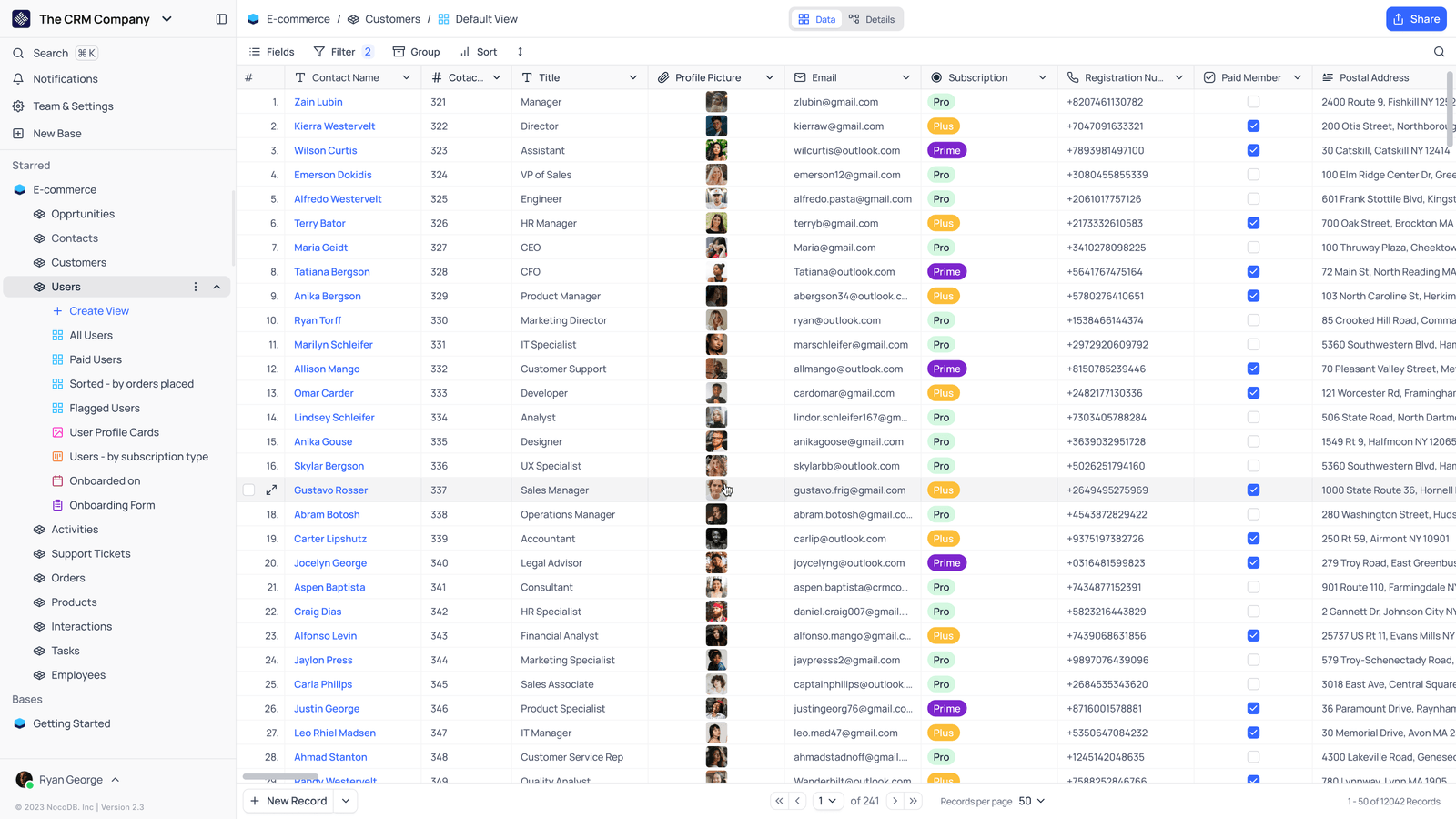
- Saved viewsThe vendor image shows several named views in the left navigation.
- Grid controlsFields, filtering, grouping and sorting appear above the record grid.
- Typed columnsThe example includes text, email and labelled select values. Check the current edition for availability.
Check the facts and their boundaries.
Official documentation supports the product statements. The evaluation procedures and synthetic examples are editorial guidance. We have not independently run the installation, migration or recovery procedures described here.
Current documented requirements and installation choices; not an independent capacity test. Reviewed 2026-11-01.
Official custom Postgres, Redis and proxy patterns; no installation executed here. Reviewed 2026-11-01.